
Fiddler runs navigation software on a desktop PC with a helm-mounted monitor. The original monitor was installed in 2010 and at that time was a high-end, high-brightness marine monitor. It served us well for over a decade. However, the screen began to delaminate a couple of years ago and I began searching for a replacement.
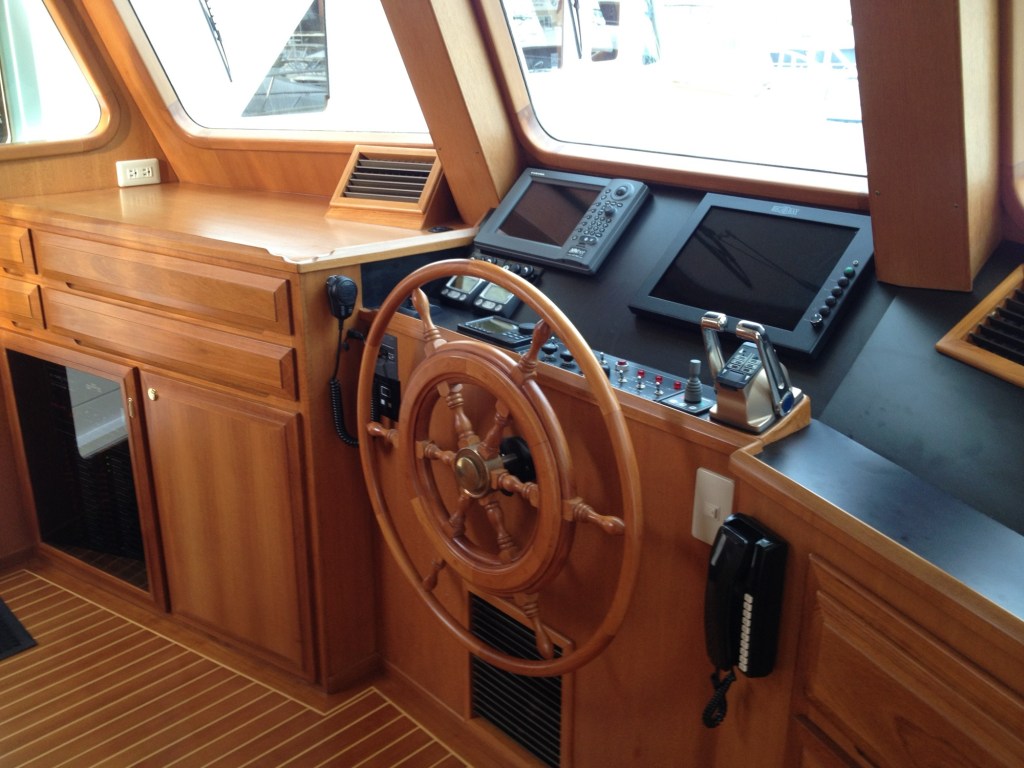
The PC is networked with the other onboard equipment and displays the navigation charts, course, heading, GPS position, depth, speed, water temperature, and AIS targets on the monitor. I use the adjacent monitor for radar. The PC was custom-built by the original owner, also over a decade ago, and lacks many features built in to current PCs, such as WiFi, Bluetooth, solid state drive, and high speed ports. I’m sure it cost thousands of dollars back in the day. I replaced it with a Dell desktop for $300 during a Black Friday sale.
The monitor is the more important piece of hardware, in my opinion. It needs to be high resolution and high brightness in order to see it clearly on bright sunny days. Waterproof is also nice, but if there is water in the pilot house, I have a bigger problem.
The search for a marine monitor resulted in several choices, all outrageously expensive (several boat bucks) owing to the “marine” moniker no doubt. I kept looking and widened the search, eventually locating a company called Beetronics that was introducing a daylight readable monitor that is waterproof, high resolution, touchscreen, and with flexible mounting options. While it cost just under a boat buck, it was ideal for my intended “marine” use.
I purchased the 22” touchscreen model and began the installation by removing the old monitor and increasing the size of the cutout for mounting.


I also chose the surface mounting option rather than the flush mounting option because the access to secure the monitor from behind the helm is too restrictive. The monitor is connected to the PC with an HDMI cable for video and audio, and a USB cable to enable the touchscreen. Easy. All of the network connections are through the PC. With a few programming updates, everything works perfectly!


 Fiddler
All connections are inside the locker, well protected. I’ve never had problems with corrosion there.
LikeLike
do you have any special tips for ensuring the hardware connections remain reliable in the corrosive marine environment?
LikeLike
love this! Keep the updates coming!
LikeLike